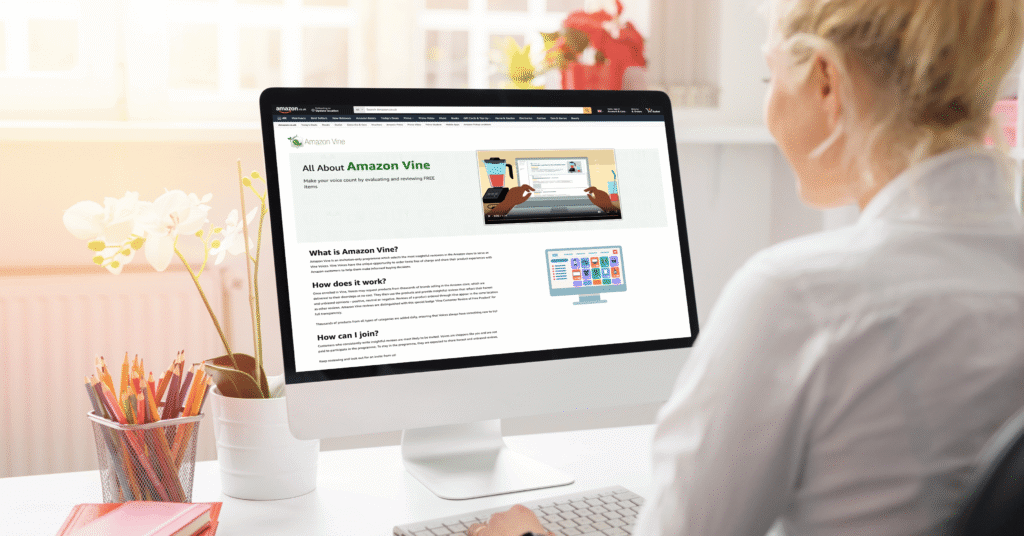

If you are searching for Amazon Vine login, you likely want to understand one of the following:
- How to access the Amazon Vine portal
- Whether you can sign up for Amazon Vine
- How sellers enroll products in the Vine program
Amazon Vine is often misunderstood. Many people believe there is a public registration page or a separate account system. In reality, Amazon Vine login works through your existing Amazon account, and access depends entirely on eligibility.
This comprehensive 2026 guide explains everything about Amazon Vine login — for both reviewers and sellers.
What Is Amazon Vine?
Amazon launched Amazon Vine as an invitation-only product review program.
Its purpose is to help customers make better purchasing decisions by providing early, detailed, and trustworthy product reviews on new or low-review items.
The program connects:
- Trusted reviewers (Vine Voices)
- Brand owners and sellers launching products
When a Vine Voice leaves a review, it appears with a badge such as:
“Vine Customer Review of Free Product”
This means the reviewer received the item at no cost in exchange for an honest review.
Important:
Sellers cannot edit, remove, or influence Vine reviews.
What Does “Amazon Vine Login” Mean?
The keyword Amazon Vine login refers to accessing the Vine dashboard.
There is:
- ❌ No separate Vine account
- ❌ No independent Vine registration page
- ❌ No public sign-up
Instead, login works differently depending on role:
| Role | How Amazon Vine Login Works |
| Reviewer (Vine Voice) | Logs in using regular Amazon account |
| Seller | Logs in through Seller Central → Advertising → Vine |
Eligibility determines access.
Who Can Access Amazon Vine Login?
Amazon Vine login is restricted to two groups.
1️⃣ Amazon Vine Login for Reviewers (Vine Voices)
Only customers officially invited by Amazon can access the Vine reviewer portal.
There is:
- No public application
- No paid access
- No waitlist
- No sign-up form
Amazon selects Vine Voices based on:
- High-quality, detailed reviews
- Helpfulness votes
- Consistent activity
- Good account standing
- Compliance with Amazon policies
If selected, you receive an official email invitation.
Without invitation, the Vine dashboard will not load.
2️⃣ Amazon Vine Login for Sellers
Sellers access Vine through Seller Central.
However, they must meet eligibility requirements.
Amazon Vine Login for Reviewers (Step-by-Step)
If you received an invitation, follow these steps.
Step 1: Log Into Amazon
Go to Amazon’s main website and log in using:
- Your email or mobile number
- Your existing password
There is no separate Vine password.
Step 2: Access the Vine Portal
You can access Amazon Vine login through:
- The direct Vine link in your invitation email
- A bookmarked Vine URL
- Your account dashboard (if enabled)
If not invited, access will be denied.
Step 3: Browse and Request Products
Inside the Vine dashboard, you can:
- View available products
- Request items
- Track shipments
- Monitor review deadlines
- Check tier status
Desktop browser access is recommended for stability.
Amazon Vine Login’s for Sellers (Step-by-Step)
Sellers use Seller Central.
Step 1: Log Into Seller Central
Access your professional seller account.
Step 2: Navigate to Vine
Inside Seller Central:
- Click Advertising
- Select Vine
If Vine does not appear, your account may not qualify.
Step 3: Enroll Products
Sellers can:
- Search by ASIN
- Choose 1–30 units
- Review enrollment fees
- Confirm enrollment
- Monitor review progress
Seller Eligibility Requirements (2026)
To access Amazon Vine login’s as a seller, you typically need:
- Professional selling plan
- Enrollment in Brand Registry
- FBA inventory
- New condition products
- Fewer than 30 existing reviews
- Active Buy Box
- Complete listing content
Eligibility rules may change over time.
Amazon Vine Fee Structure (2026)
Fees depend on units enrolled per parent ASIN.
| Units | Approximate Fee |
| 1–2 | Usually Free |
| 3–10 | ~$75 |
| 11–30 | ~$200 |
Fees are charged after the first Vine review publishes.
Amazon Vine Voice Tiers
Amazon uses a tier system.
Silver Tier
- Up to 3 items per day
- Price cap (often under $100)
Gold Tier
- Up to 8 items per day
- No price limit
- Requires high review completion rate
Failure to meet deadlines may result in removal.
Geographic Availability
Amazon Vine operates in:
- United States
- Canada
- United Kingdom
- Germany
- France
- Italy
- Spain
- Japan
Marketplace availability varies.
Common Amazon Vine Login’s Problems
Vine Portal Not Showing
Cause:
- Not invited
- Logged into wrong account
Solution:
- Confirm invitation email
- Switch accounts
Redirected to Homepage
Cause:
- Ineligible account
Solution:
- Log in with correct account
Vine Missing in Seller Central
Cause:
- Individual seller plan
- No Brand Registry
- Product exceeds review limit
Solution:
- Upgrade to Professional plan
- Verify product eligibility
Important Rules of Amazon Vine
- Sellers cannot choose reviewers
- Reviews may be negative
- Reviews cannot be edited or removed
- Vine is not influencer marketing
- Amazon enforces strict guidelines
Security Best Practices
Because Vine uses your main Amazon account:
- Enable two-factor authentication
- Use strong passwords
- Avoid public Wi-Fi
- Monitor account activity
Protect your login credentials carefully.
Benefits of Amazon Vine’s Login
For Reviewers
- Free products
- Early access to new releases
- Recognition
- Tier advancement
For Sellers
- Faster review acquisition
- Increased visibility
- Improved conversion rates
- Early product traction
Advanced Seller Strategies
- Enroll products before heavy ad spend
- Optimize listing before enrollment
- Use professional images
- Monitor feedback carefully
- Respond professionally to criticism
Vine works best when paired with strong listing optimization.
Is Amazon Vine’s Login Worth It?
For reviewers:
If you enjoy detailed product reviewing and meeting deadlines, it can be rewarding.
For sellers:
If launching a new product, Vine can accelerate early review momentum.
However, it does not guarantee positive reviews.
Read more: Exploring ecryptobit .com – The Future of Secure Digital Trading and Investment
Frequently Asked Questions
No. Only invited reviewers and eligible sellers can access it.
No public application exists.
No. Vine uses your regular Amazon login.
You may not be eligible or logged into the correct account.
Yes, for reviewers. Tax implications may apply depending on location.
Final Thoughts on Amazon Vine Login
Amazon Vine login works differently depending on your role.
- Reviewers must receive an official invitation.
- Sellers must meet eligibility criteria and access Vine through Seller Central.
The key takeaway:
Amazon Vine login is invitation-based for reviewers and eligibility-based for sellers.
If you cannot access the Vine portal, it usually means you are not eligible — not that the system is broken.
Understanding the complete Amazon Vine login process ensures you use the program effectively in 2026.